Moving from manual exports to a .env file is a major quality-of-life upgrade, especially when you’re frequently rebooting your Raspberry Pi or restarting your Docker containers. In the Meteor ecosystem, this ensures your Sovereign Intelligence doesn’t lose its “brain” every time the terminal session ends.
Here is how to set this up professionally for our specific dev/nostr-ai/app path.
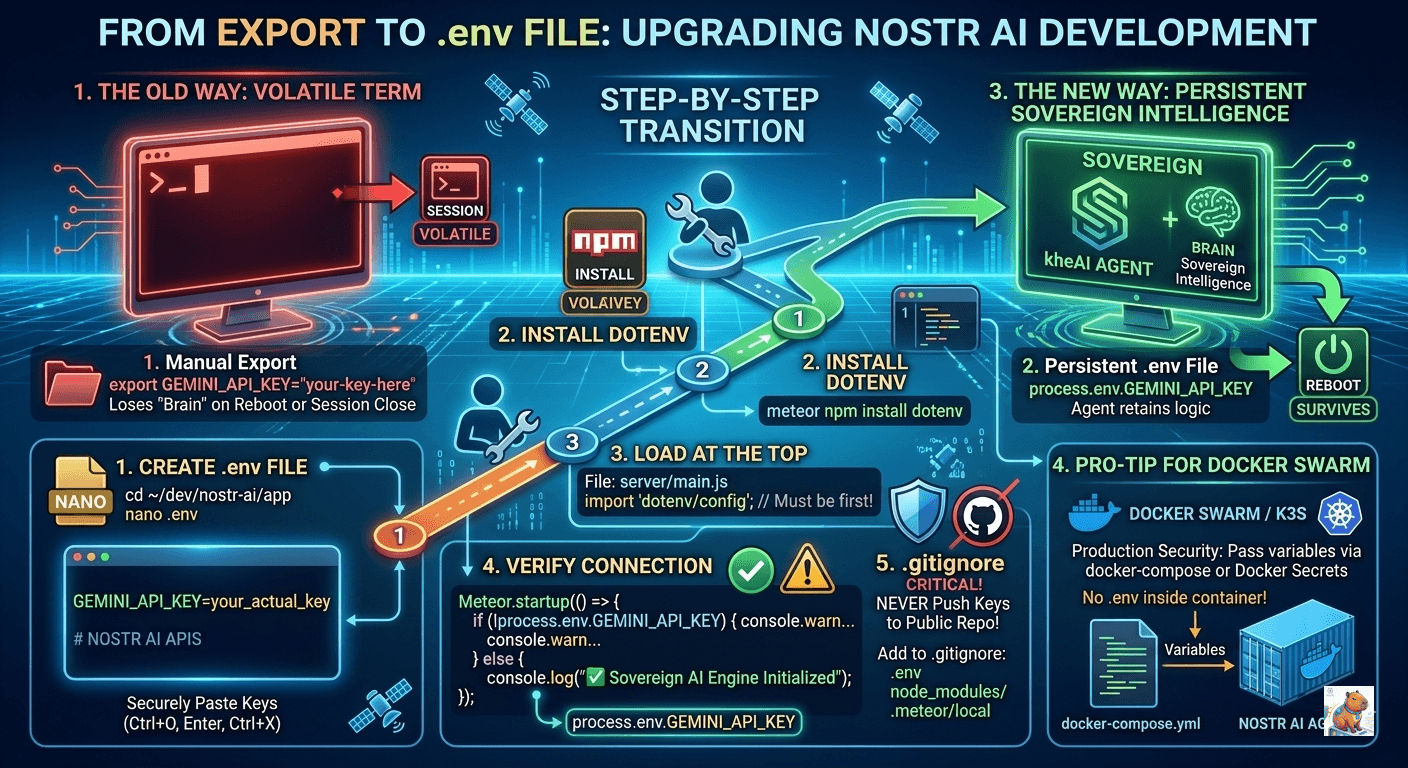
1. Create the .env file
Navigate to your app directory and create the file.
cd ~/dev/nostr-ai/app
nano .env
Paste your key inside (no quotes are strictly necessary in most cases, but good practice):
GEMINI_API_KEY=your_actual_api_key_here
# You can also add other variables here later
MONGO_URL=mongodb://127.0.0.1:27017/nostr_ai
Press Ctrl+O, Enter, and Ctrl+X to save and exit.
2. Install the dotenv package
Meteor doesn’t load .env files into process.env by default. The standard way to handle this is using the dotenv npm package.
meteor npm install dotenv3. Load it at the Absolute Top
To ensure the API key is available before your Nostr/Gemini logic initializes, you must import and config it at the very top of your server entry point (usually server/main.js).
File: dev/nostr-ai/app/server/main.js
import 'dotenv/config'; // This must be the first line
import { Meteor } from 'meteor/meteor';
// ... rest of your imports
4. Verify the Connection
You can add a quick check in your Meteor.startup block:
Meteor.startup(() => {
  if (!process.env.GEMINI_API_KEY) {
    console.warn("⚠️  WARNING: GEMINI_API_KEY is not set in .env file.");
  } else {
    console.log("✅  Sovereign AI Engine initialized with API Key.");
  }
});
5. Critical Step: The .gitignore
Since we are a advocate for data sovereignty, you never want to accidentally push your API key to a public repo (like GitHub or a Nostr git relay).
Check if you have a .gitignore file in dev/nostr-ai/app/. If not, create one and add:
.env
node_modules/
.meteor/local
Pro-Tip for your Docker Swarm
When you eventually move this into your manual Docker Swarm or K3s setup, you won’t even need the .env file inside the container. You can pass the variables directly in your docker-compose.yml or as a “Docker Secret.” This keeps your production environment even more secure.