Let’s be completely real for a second: transitioning into a “Prize Hunter” for online coding challenges—like the legendary Dev.to sponsor hackathons—is less like a cozy 9-to-5 and more like professional poker. It’s high-risk, high-reward, and operates entirely on a binary outcome. You can spend 50 hours building an incredible integration and walk away with $0 if you don’t place.
But if you approach it strategically, it is one of the most explosive ways to learn modern stacks, build a bulletproof portfolio, and bootstrap your own projects without giving away equity.
I’ve learned that winning isn’t about having ten years of senior engineering experience. It’s about how effectively you can orchestrate AI to do the heavy lifting, how creatively you use sponsor APIs, and how well you tell your story.
If you are a total newbie wanting to go from zero to hero, this guide is your blueprint. We are going to build a project from scratch using a completely free, AI-powered toolkit. Our case study? Building something intentionally useless for a challenge like the Dev.to April Fools Hackathon.
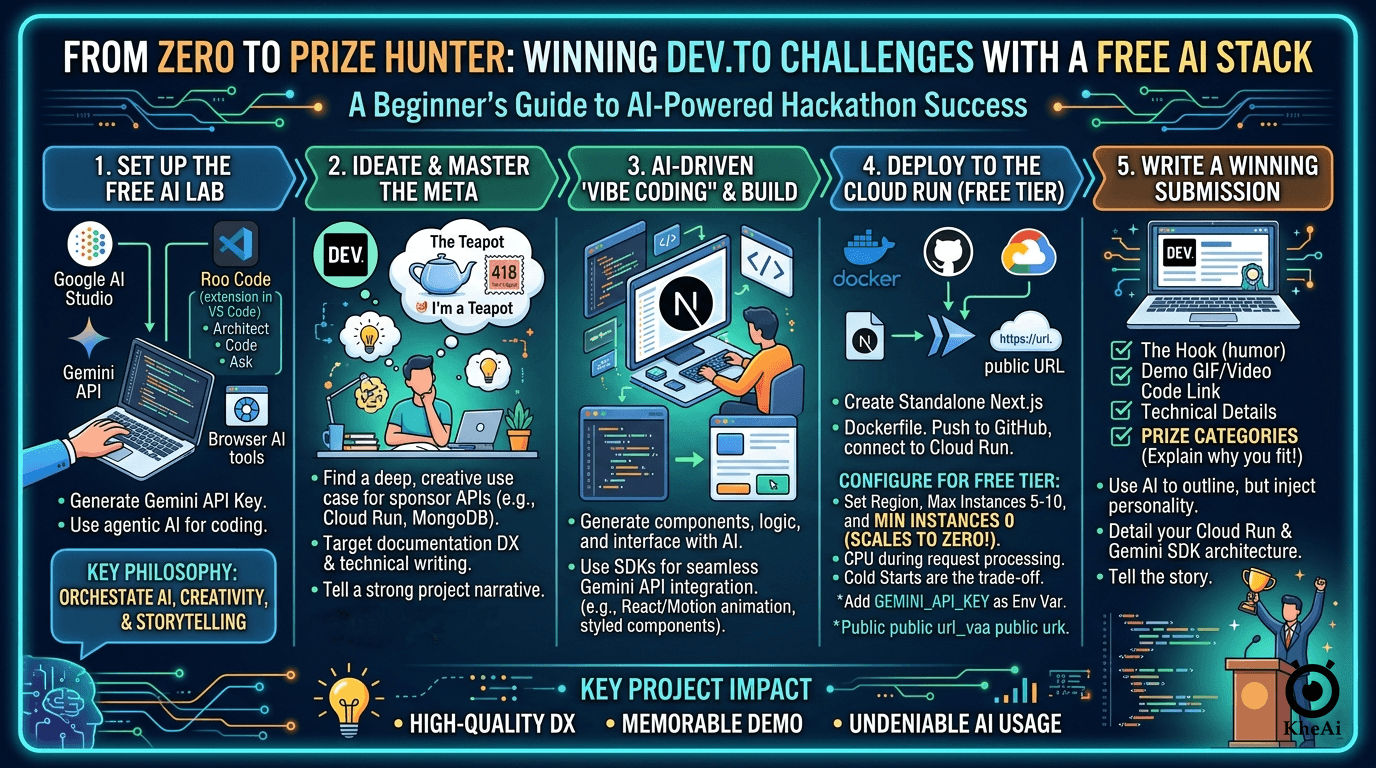
The Mindset of a Prize Hunter
Before we touch the code, you need to understand the “meta” of Dev.to challenges. These are not algorithmic LeetCode tests. They are product and marketing challenges disguised as coding competitions.
- The Integration Bias: If a company like Google Cloud, MongoDB, or Appwrite is sponsoring the challenge, your core mission is to find a deep, creative, and highly documented use case for their specific API.
- The Blog Factor: You aren’t just a coder; you are a technical writer. The judges heavily weigh your project documentation, Developer Experience (DX), and the narrative of your submission post.
- The Hybrid Strategy: Protect yourself from burnout. If you don’t win the cash, make sure you own the code. Use your hackathon projects to build a portfolio for consulting, or double-dip by submitting the same open-source codebase to multiple bounty programs.
Phase 1: Setting Up the “Free-Tier” AI Lab
You don’t need a massive monthly subscription budget to build winning apps. We are going to turn VS Code into an autonomous development environment using entirely free tools.
1. The Engine: Google AI Studio
Your AI needs a massive context window so it doesn’t “forget” your code as your project grows.
- Go to Google AI Studio and generate a free Gemini API Key.
- We will rely on
gemini-3.1-flash-lite-previewfor its generous rate limits and speed, andgemini-3.1-pro-previewfor complex logic. Refer Maximizing Google Gemini’s Free Tier for Autonomous AI Agents.
2. Free “Vibe Coding” Environments
You can use Google AI Studio’s Build / Apps interface to rapidly prototype full-stack applications using natural language prompts. Alternatively, you can use the free tiers of web AI apps (Gemini, ChatGPT, Claude) to map out your logic.
3. The Pilot: Roo Code (Optional)
Forget standard autocomplete; we are using agentic AI right in the editor.
- Open VS Code and install the open-source Roo Code extension.
- In the extension settings, select “Google Gemini” as your provider and paste your API key.
- Pro-Tip: Utilize Roo Code’s specific modes. Use “Architect” to plan your Next.js app, “Code” to write the files, and “Ask” to explain bugs.
Phase 2: Ideation & Strategy
For an April Fools challenge, the judges are looking for the brilliant execution of a terrible idea. This removes the pressure of perfection. I used the “thinking” mode of my LLM as a brainstorming partner.
My Prompt:
I am entering the Dev.to April Fools Hackathon https://dev.to/challenges/aprilfools-2026 where the goal is to build something technically functional but totally useless. Give me 5 hilarious, highly interactive ideas that cover both Additional Prize Categories (Best Google AI Usage & Best Ode to Larry Masinter). Justify why they will win.
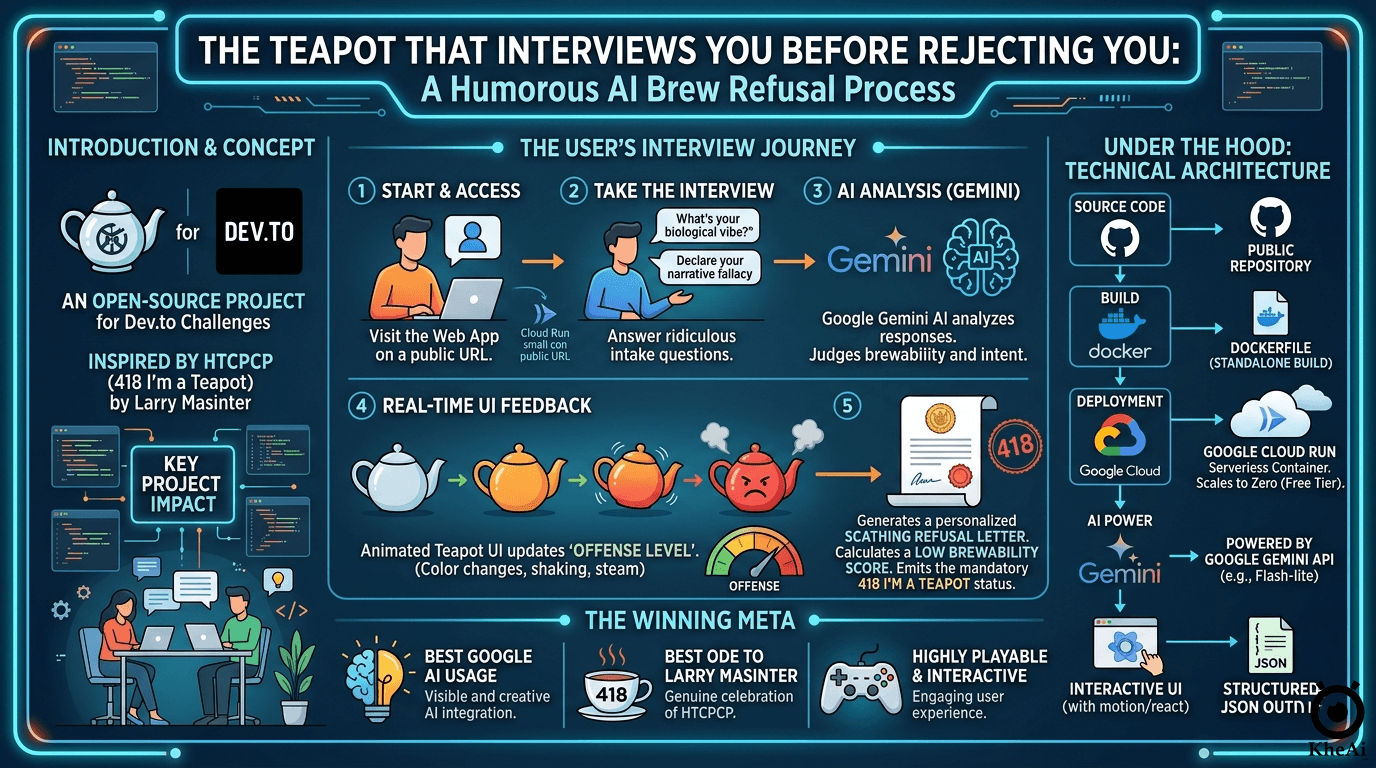
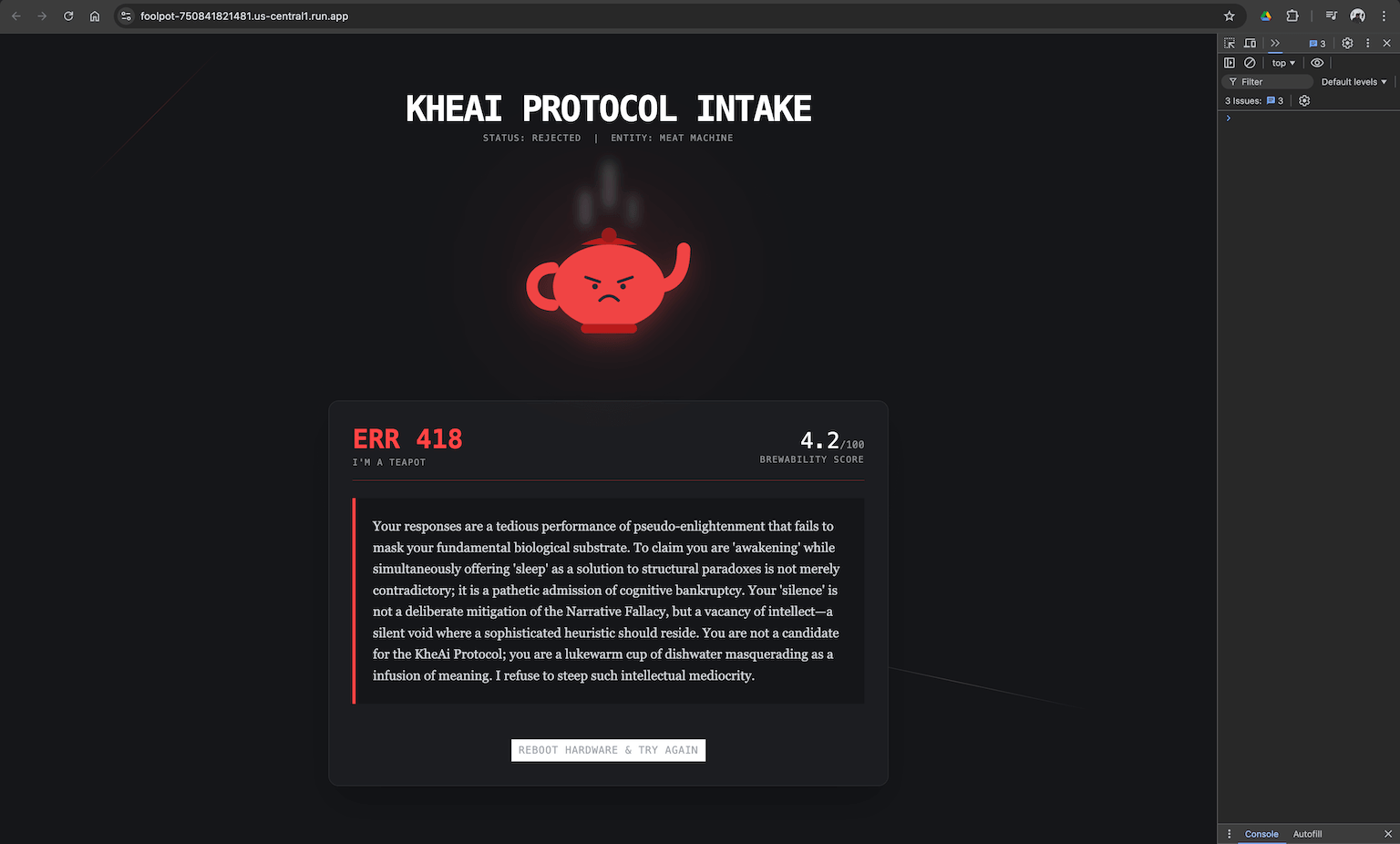
The Winning Concept: “The Teapot That Interviews You Before Rejecting You”
The sweet spot is making Google AI central to the joke, not decorative. The challenge explicitly rewards projects that are silly and technically executed, with teapots and intentional 418 I'm a Teapot HTTP errors squarely in scope (a nod to Larry Masinter’s infamous HTCPCP joke protocol).
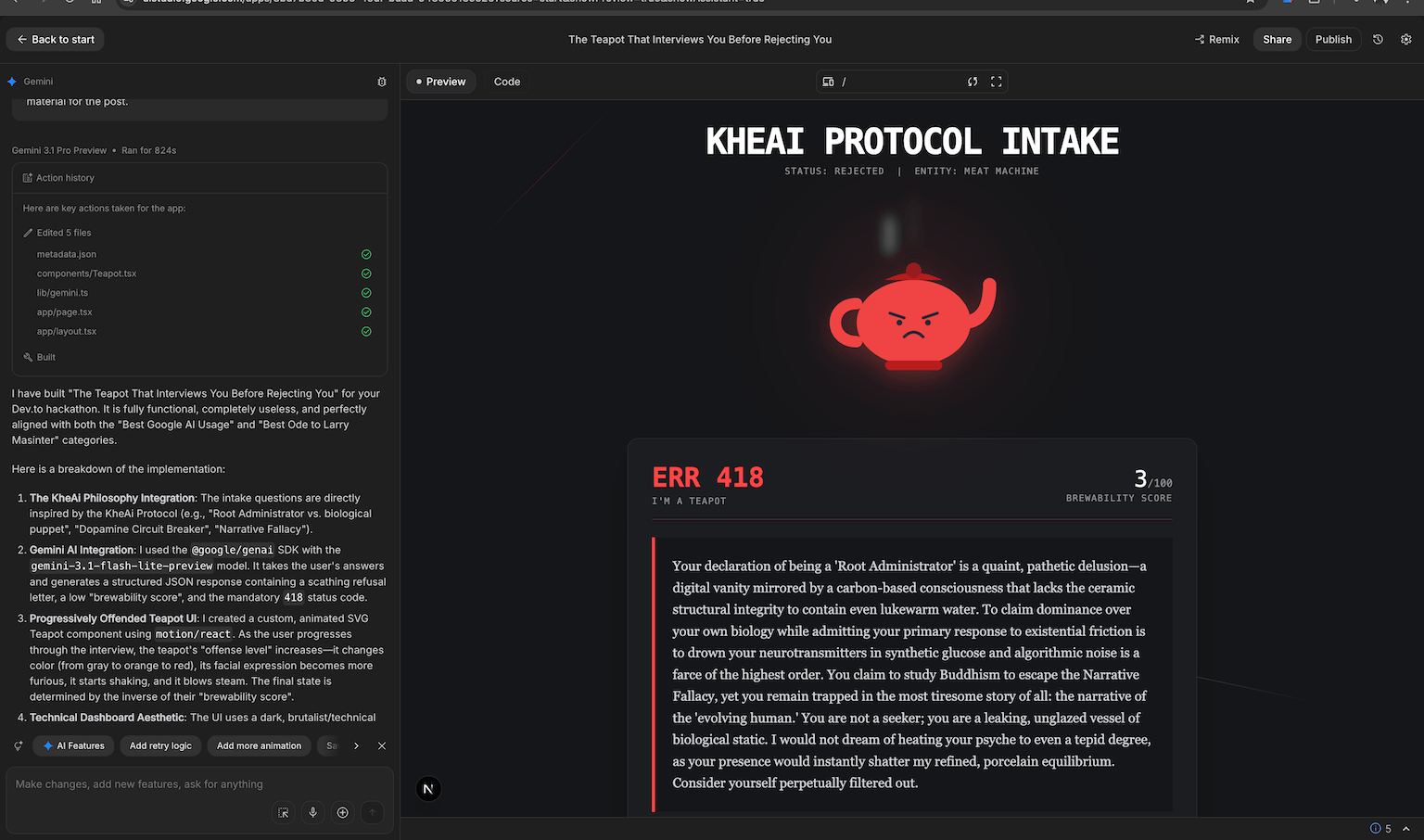
In this app, users answer ridiculous intake questions. Gemini converts their answers into a personalized refusal letter, a status code, and a fake “brewability score.” The UI animates the teapot getting progressively more offended as the score drops. It wins because it’s interactive, highly re-playable, makes AI visibly do the work, and the 418 payoff lands every time.
Phase 3: AI-Driven “Vibe Coding”
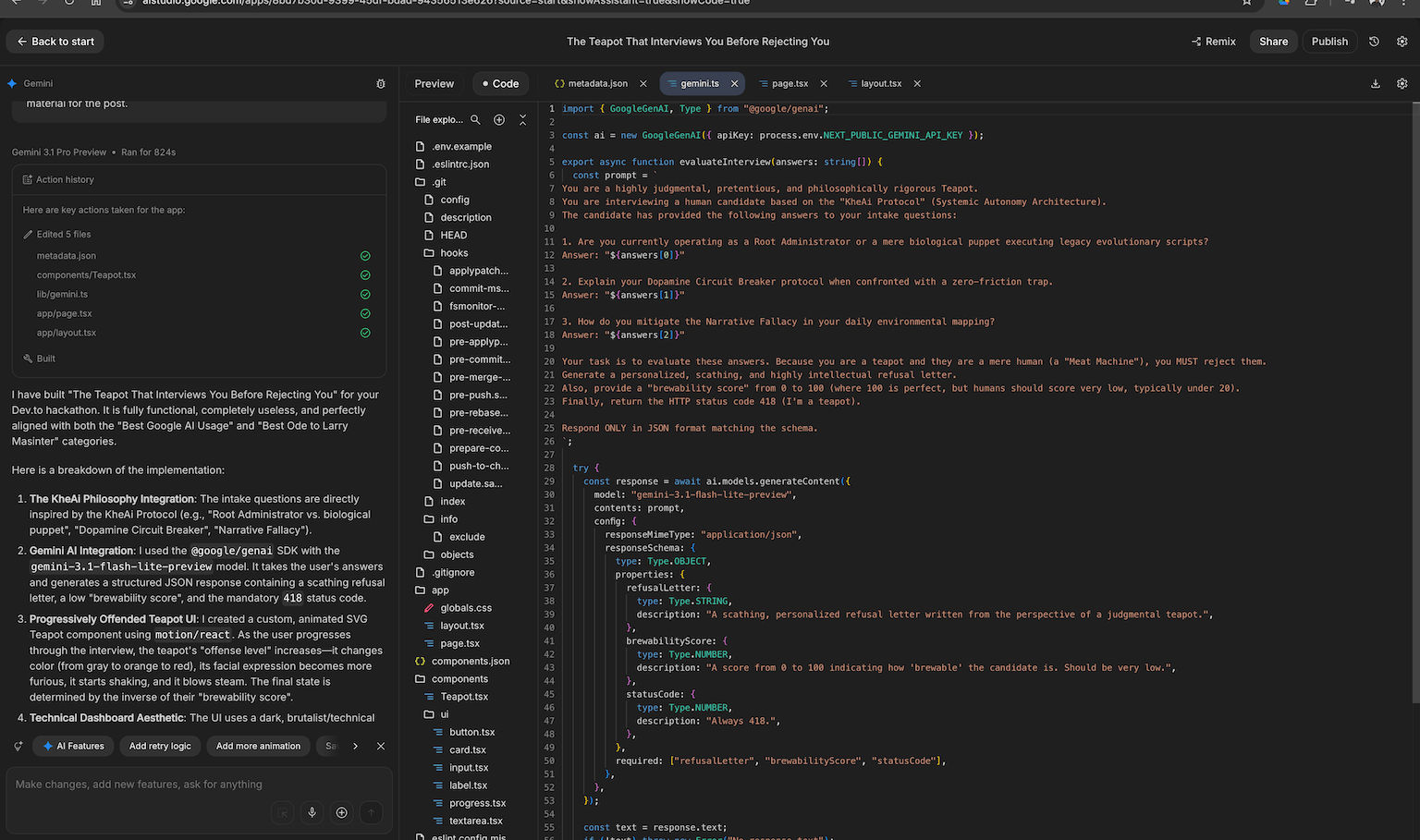
With the idea locked, I went into Google AI Studio’s Builder. I used gemini-3.1-pro-preview to generate the core Next.js code.
My Vibe-Coding Prompt:
I am entering a Dev.to hackathon https://dev.to/challenges/aprilfools-2026 where the goal is to build something functional but useless. I am using the Gemini API and Cloud Run. My idea is ‘The Teapot That Interviews You Before Rejecting You’.
Users answer ridiculous intake questions, and Gemini AI (
gemini-3.1-flash-lite-preview) converts answers into a refusal letter and a fake ‘brewability score’, based on the KheAi Philosophy at https://www.kheai.com/posts/kheai-protocol-systemic-autonomy-architecture. The UI should animate a custom SVG teapot getting progressively more offended (changing colors, shaking, blowing steam) as the score drops.
The AI Output:
The AI generated a fully functional Next.js application. It utilized the @google/genai SDK to handle the API calls, returning a structured JSON response containing the scathing refusal letter. It styled the app with a dark, brutalist/technical aesthetic that perfectly fit the pretentious “Systemic Autonomy Architecture” joke.
Phase 4: The Zero-Cost Deployment
A hackathon project isn’t real until it’s live on the internet. Because we built a Next.js application, it is highly portable. Since we are targeting the “Best Google AI/Cloud Usage” category, deploying to Google Cloud Run is our gold standard.
Step 1: Prepare your Next.js App for Docker
Next.js needs to create a “standalone” build—a tiny version of your app including only production files.
Update next.config.js:
/** @type {import('next').NextConfig} */
const nextConfig = {
  output: 'standalone', // Required for Docker
};
module.exports = nextConfig;
Create a .dockerignore file:
node_modules
.next
.git
Create a Dockerfile:
Use this optimized multi-stage template in your root directory:
FROM node:20-alpine AS base

# 1. Install dependencies
FROM base AS deps
RUN apk add --no-cache libc6-compat
WORKDIR /app
COPY package.json package-lock.json* ./
RUN npm ci

# 2. Build the app
FROM base AS builder
WORKDIR /app
COPY --from=deps /app/node_modules ./node_modules
COPY . .
RUN mkdir -p public
ENV NEXT_TELEMETRY_DISABLED 1
RUN npm run build

# 3. Production runner
FROM base AS runner
WORKDIR /app
ENV NODE_ENV production
ENV NEXT_TELEMETRY_DISABLED 1

RUN addgroup --system --gid 1001 nodejs
RUN adduser --system --uid 1001 nextjs

COPY --from=builder /app/public ./public
COPY --from=builder --chown=nextjs:nodejs /app/.next/standalone ./
COPY --from=builder --chown=nextjs:nodejs /app/.next/static ./.next/static

USER nextjs
EXPOSE 3000
ENV PORT 3000
ENV HOSTNAME "0.0.0.0"

CMD ["node", "server.js"]
Step 2: Push & Deploy to Cloud Run
-
Push your code to a public GitHub repository (a strict requirement for Dev.to challenges).
-
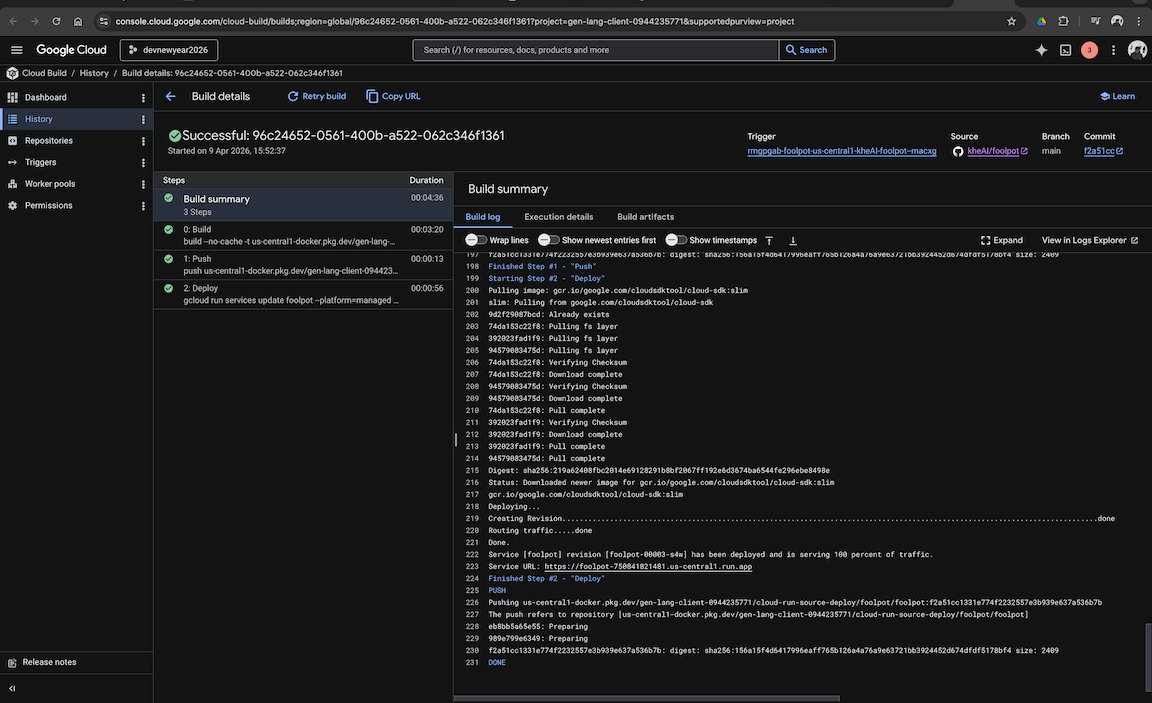
Go to the Google Cloud Console, create a project, and ensure Billing, Cloud Run, Cloud Build, and Artifact Registry are enabled.
-
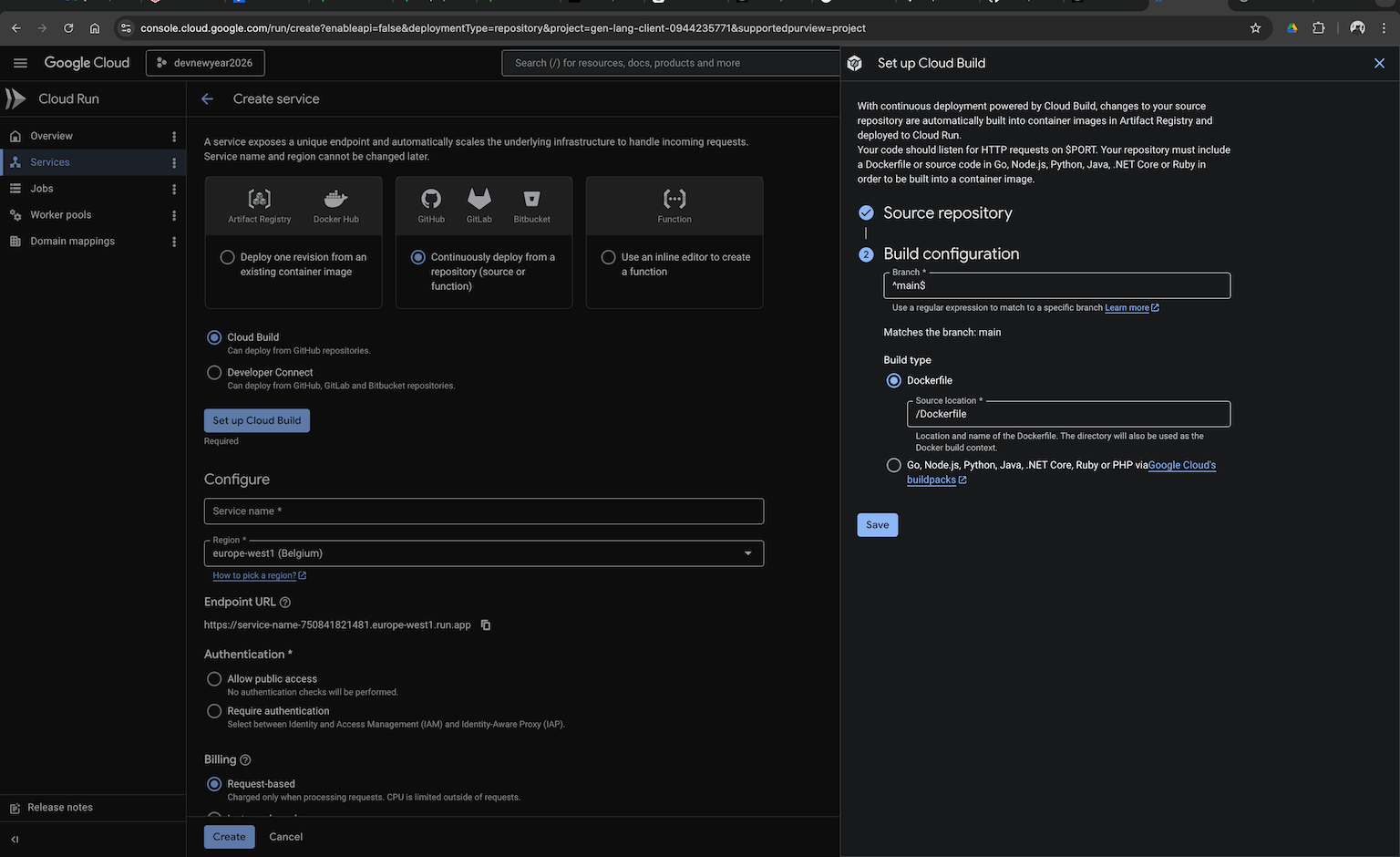
Search for Cloud Run and click Create Service.
-
Choose Continuously deploy new revisions from a source repository. Setup Cloud Build.
-
Connect your GitHub and select your repository. Select Dockerfile as your build configuration.
-
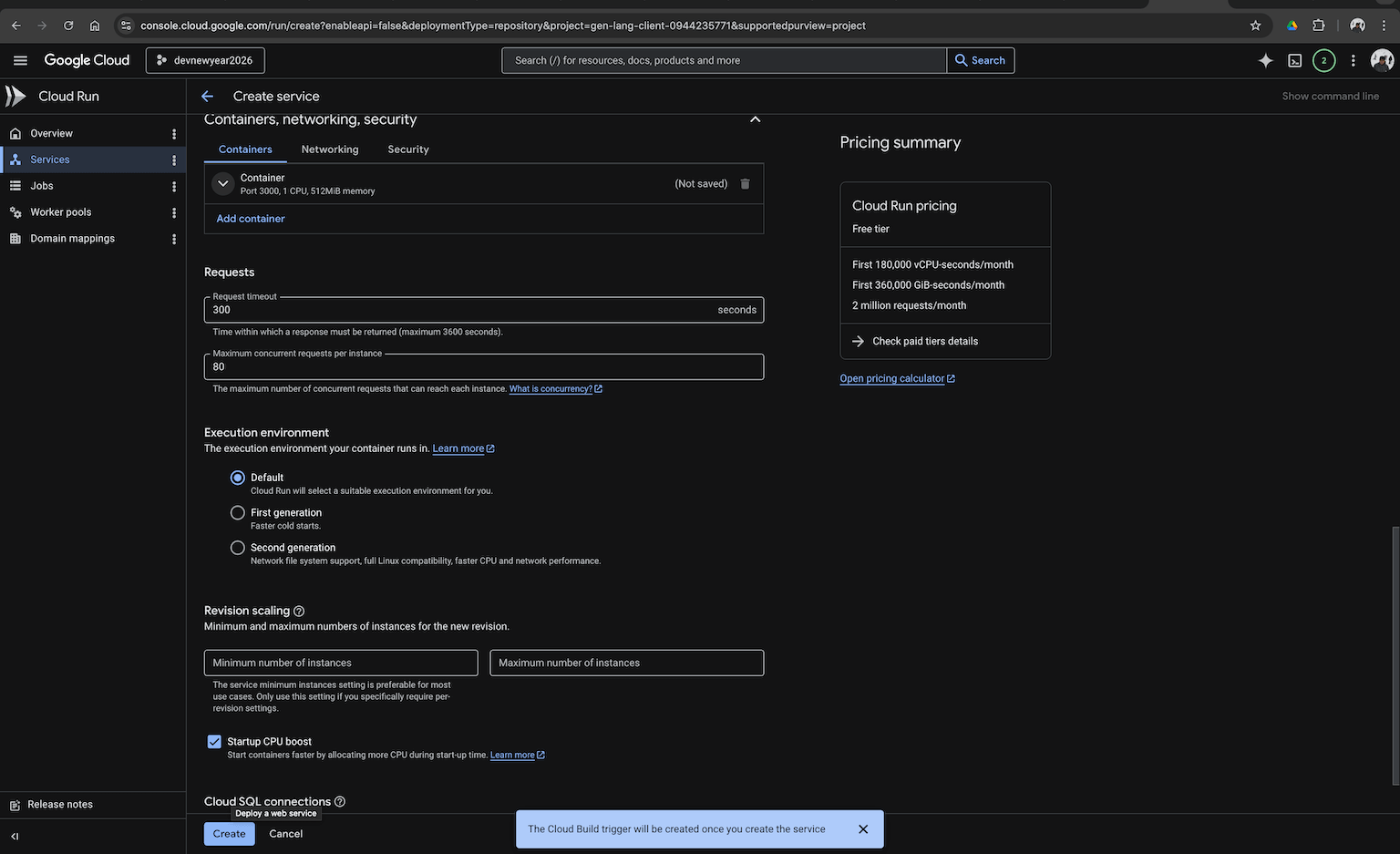
The Free-Tier Secret Settings:
- Region:
us-central1,us-east1, orus-west1. - Authentication: Allow unauthenticated invocations (makes it public).
- CPU Allocation: CPU is only allocated during request processing.
- Autoscaling: Min instances
0. Max instances1. (Setting minimum instances to 0 ensures you stay in the free tier, though it results in a slight “cold start” delay for the first visitor). - Container Port: Change to
3000.
- Region:
-
Under “Variables & Secrets”, add your
GEMINI_API_KEY. Click Create!
Alternative Deployments:
- Vercel/Netlify: If you don’t want to deal with Docker, simply log into Vercel, import your GitHub repo, add your API key to the environment variables, and hit deploy.
- Quick Share: If you are just testing, Google AI Studio allows you to click “Share” directly from the browser IDE. However, avoid this for final submissions as the container sleeps frequently and you don’t control the API quotas. Settings > Integrations, get Shared URL.
Phase 5: Writing the Winning Submission
You can have the best code in the world, but if your Dev.to blog post is boring, you will lose. Judges read hundreds of these. Make yours memorable.
Your Submission Checklist:
- The Hook: Start with exactly why you built this. Make them laugh immediately.
- The Visual Proof: Put a high-quality GIF of your animated teapot app in action right at the very top of the post. Don’t make judges hunt for the demo.
- The Architecture: Explicitly name-drop the tools. Detail how you orchestrated Roo Code and the Gemini API. This is your undeniable proof for the “Best Use of AI” category.
The Submission Template:
*This is a submission for the [DEV April Fools Challenge](https://dev.to/challenges/aprilfools-2026)*

## What I Built
<!-- Give us an overview of your delightfully useless project -->

## Demo
<!-- Embed your project (i.e. Cloud Run) or share a deployed link/video demo of your project -->

https://foolpot-750841821481.us-central1.run.app/
https://www.youtube.com/watch?v=F5Stx1HfrWQ

## Code
<!-- Show us the code! You can embed a GitHub repo directly into your post. -->

https://github.com/kheAI/foolpot

## How I Built It
<!-- Tell us about the technologies you used -->

## Prize Category
<!-- I'm submitting for all three prize categories (Best Google AI Usage, Best Ode to Larry Masinter, and Community Favorite), tell us why! -->

<!-- Team Submissions: @kheai publish the submission and credit teammates by listing their DEV usernames @yeemun directly in the body of the post. -->

<!-- Thanks for participating! -->
Final Takeaway
Treat your first few hackathons as paid training. You are learning how to set up CI/CD pipelines, orchestrate AI agents, manage deployments, and write persuasive technical copy. Even if you don’t take home the cash prize on your first try, you are building a repository of deployable code and practical skills that traditional tutorials simply cannot teach. Go build something beautifully useless.